Helicopter Simulator Overview
An important part of flight training takes the form of simulated helicopter flying. Although it is not commonly used in standard PPL-H courses , it plays an important role in CPL and ATPL training programs. Simulation has a number of advantages over real flight:
- If something goes wrong, there is no real danger
- Dangerous
situations can be simulated, and so a pilot can practise coping with them
- Learning in a simulator doesn't require a real aircraft
- The operational costs of an hour of simulation are much lower than an hour of real
flight
- The environment is also under simulation control, and so weather and day/night conditions
can be manipulated
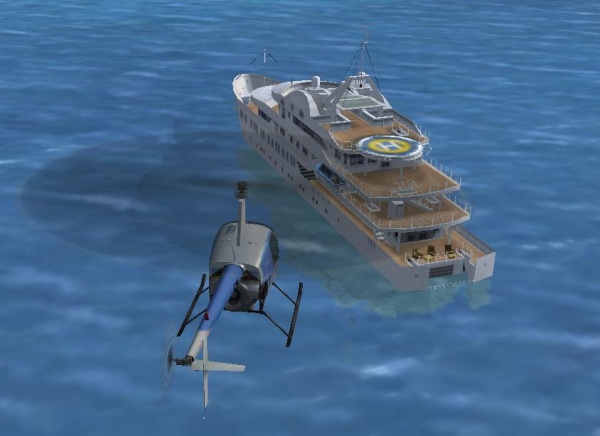
For the candidate PPL-H pilot, the use of, for example, MS Flight Simulator or X-Plane (which runs on MS-Windows, Linux and Macintosh) is a more then useful introduction to helicopter flying, and great fun. You will need at least a joystick (cyclic control) and pedals (yaw control) to get started.
Nowadays, flight simulation is within everyone’s reach, as a result of powerful
PCs, and greatly improved simulation software. There is a large marketplace for both this software, and for hardware accessories with which to build your own cockpit. This can
range from a very simple setup, consisting of only a joystick to be used as a collective, and
pedals, to a complete mock-up that closely resembles a particular model of helicopter.
The main difference between this type of home simulation equipment and its professional counterpart (called Flight Sim Devices) is that the cues obtained from physical sensations
(such as feeling small changes in motion and altitude, and a lack of peripheral vision) are missing. However, helicopter flying manoeuvres,
ATC procedures, radio telephony, navigation and much more can be practised at home with PC simulation software, so don't under estimate its value.
X-Plane, for example, is used in simulation devices (hardware and software) that are approved by the FAA.

For a comparison between flight simulator software packages, take a look at the
Helicopter Simulator Software Overview page.
Want to build your own Flight Sim? Look at the
DIY Flight Sim Devices pages.
Flight Controls
When selecting a joystick as the cyclic control, it is better to choose a model that doesn’t support yaw control (by the twisting of your wrist)
since this should be provided by pedals. Alternatively, you can configure your sim software to ignore the twist ability of your joystick. Pedals
are, in any event, necessary to control a helicopter in simulation mode. Flying one without them is difficult, just as it is in real flight.
Last, but not least, a control is needed to simulate the collective. You can use the throttle slider on the joystick for that purpose, but controls
which resemble a real collective also exist.
For an overview of flight controls for helicopter simulator use, look at the
Helicopter Simulator Flight Controls page.
Flight Instruments
You can enhance your simulation experience a great deal by using realistic flight instruments. This is very similar to the process of using flight controls. In this way,
you can pay attention to your flight while also using real switches, radios and read gauges on your instrument panel instead of being stuck at your computer monitor.
The combination of realistic flight controls and instruments adds a lot to the immersiveness of a simulator experience.
For an overview of flight instruments, look at the
Helicopter Simulator Flight Instruments page.
Weather influence
Try to imagine what it means to fly in heavy rain with gusts of wind, or over a beautiful all white, snow-covered landscape. In the simulator, you are in charge of the weather you will encounter during your flight. It is also possible to let the tool follow the
current weather pattern in the region where you are flying. It is instructive to experiment with different weather types. Try to see what it
means to takeoff with a strong tail wind or discover the influence of wind gusts when in a hover.
You can also practise ATC procedures and associated phraseology. Find out how to get take off clearances, or how to get into contact
with Approach or ground control when taxiing. Practice how to use your radio equipment by selecting
the appropriate frequencies. You will also learn about how speeds, directions, elevations, runways and call signs are spelt out and pronounced. ATC
is natively supported only by text windows (FSX). If you want to actually talk to
a controller, you must use addional software to connect to an ATC network (populated
by flight simmers). Examples are:
For an overview of headsets for simulator use, have a look at the Headsets page.
Helicopter Add ons
You can expand what is offered by flight simulator software by installing add ons. There is a broad range of helicopter makes
and models available as add ons on the Internet. There are also others for extra scenery and (ground) traffic. These are all
available either on a commercial basis or as freeware.
For an overview of add-ons, take a look at the
Helicopter Add ons page.
PC hardware and Display Systems
Flight simulator software demands high performance PC hardware. There are a few must have items here. Firstly, you must use a high
performance video card, which must also have enough (fast) memory. Secondly, your PC should have plenty of RAM (from 2 Gigabytes and up).
Of course, a fast hard drive and CPU will help. If you are unsure about such matters, you should obtain the appropriate advice. Fortunately,
PC hardware is much cheaper these days. Note that a Desktop PC is much more suited to meeting your requirements than a laptop (and is
also available at a much lower price). For an overview of flight simulation PC hardware, graphics cards, screens and projector based display systems,
take a look at the 'i-am-fast.com' (Helistart affiliate website).
High learning curve, maximum joy!
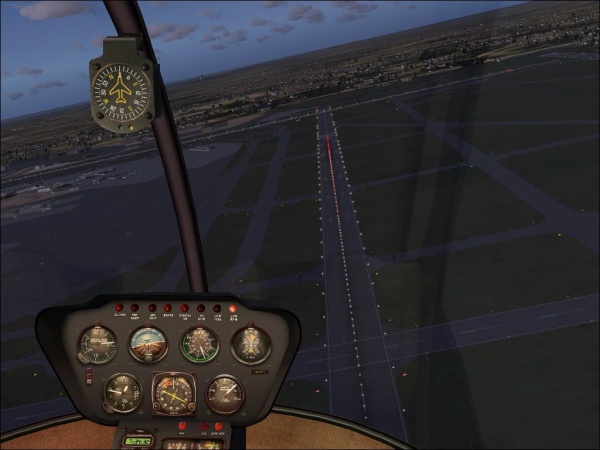
You can use flight simulation software in two ways. Firstly, you can use it just to fly. The software will take care of many of the
things that are normally the pilot’s responsibility, such as landing, using the radio, taxiing, flight planning and navigation through
the airspace. The second way of working is, of course, to do all of these things yourself. Although this requires hard work, it is
more than worth the effort. You will not only learn much more, but your enjoyment of the experience will be heightened. Accordingly, we
would urge you to opt for the maximum flight experience, which will, particularly, pay off if you are a student helicopter pilot.
Comments are disabled.