Contact | Advertising | Copyright & Disclaimer | About

Content


Home

Browse & Find
- Helicopter Models
- Helicopter manufactures
- Helicoper history
- Helicopters on eBay

Information Library
- Regulations
- Abbreviations
- Registration Codes
- Airspace Classes
- Radio Telephony
- Communications Frequencies
- Alphabet Radiotelephony
- Links

Simulation
- Overview
- DIY Simulator Devices
- Equipment & Controls
- PC Software
- Simulator Devices

Pilot training
- Pilot license
- Training centers
- Helicopter Flight

DIY
- Kit helicopters (experimental)
- Regulations
- Kit Helicopter links

Engineering Section
- Helicopter Design
- Rotor Aerodynamics
- Rotorhead
- Rotor Blade Design
- Essential Physics
- Glossary

Media Center
- News
- Pictures
- DVDs
- Games
- Books

Helicopter Safety

Helicopter Financing

Also take a look at:

- Flight sim shop
- I am fast

Top 5 best sellers

1. Learning to Fly Helicopters
2. Principles of Helicopter Flight
3. Saitek Pro Flight Rudder Pedals
4. Saitek Aviator Dual Throttle Joystick ( PS33 )
5. Flight Sim X-Gold

News

- PICTURES: Schiebel Camcopter S-100 operated from Chinese frigate
- US values possible South Korean MH-60R deal at $1bn
- Australia grounds Tiger helicopters after detection of cockpit fumes
More..(Powered by FlightGlobal)


Flight Simulator Add-ons

An important feature of all main stream flight simulator packages is that you can extend them with add-ons, which can give you new scenery, different aircraft models and traffic (air, water and ground traffic).

Scenery add-ons

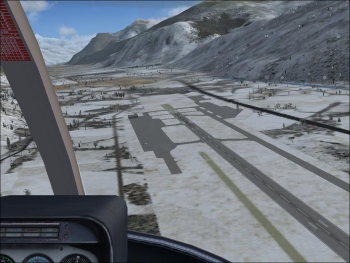
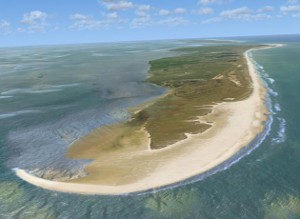
By adding scenery, you can turn the default, computer generated images into high fidelity vistas, with their own vegetation and buildings, which reflect the real environment. Scenery add-ons mean that you can actually recognise where you are flying, and the better ones offer near photo quality panoramas. The two pictures below show the difference between typical computer generated scenery and the same region with a scenery add-on installed (Sion, Switzerland, shown in FSX).By adding scenery you can turn the default, computer generated, scenery into high fidelity scenery that reflects the real environment with its own vegetation and buildings. Scenery add ons make that you actually recognise where you are flying and the better ones offer near photo quality scenery. The two pictures below show the difference between the typical computer generated scenery and the same region with a scenery add on installed (Sion, Switserland, shown in FSX).

Default scenery
Default scenery
Sion Scenery add on
Sion Scenery add on
Detailed view (Sion Scenery)

Scenery is generally comprised of two distinct elements: 3D shapes (meshes) and textures, with each having their own file type(s). The smaller the mesh elements, the more detailed the textures and the better the generated terrain quality will be. Unfortunately, this also means that more computer power is needed!

Mesh
Mesh
+ Texture
Texture
= Terrain
Terrain

In order to install scenery (FSX), the following steps must be taken. First, the scenery files are copied to the flight sims� scenery directory. You should create this directory with some geographically meaningful name because this is where the scenery files are stored. Scenery is divided between shape and texture files. It is good practice to store these files in different sub- directories, e.g. 'scenery' and 'texture'. Most add-ons come with an installer that takes care of all of these steps automatically.

The next step is to tell the flight sim that new scenery files are installed so that they will be loaded in the sim's geo database. In FSX you have to import the scenery files. This option can be found in the Settings/Scenery library...and that�s it. The next time you are flying in the region to which the scenery files apply, you will find yourself in a completely new environment!

You can experiment with the simulator settings in order to get the best results for the scenery. For example, with scenery installed, the utilise buildings option should be set at the maximum. However, this should not be done for the default generated ones, whose values should be set at the minimum.

With the X-Plane, you only have to copy the scenery files to the appropriate directory (/Custom Scenery) or use the installer XAddonManage (used to install scenery, aircraft models and plug-ins).

Model add-ons

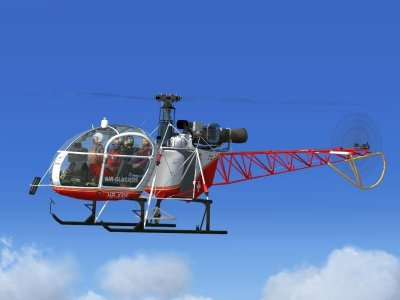
A much appreciated add-on is the aircraft model. There are huge numbers of different aircraft types in the world and there are an almost equal number of add-ons. So, you will probably be able to find your favourite helicopter model somewhere. Helicopter models are added by installing the associated files into the Aircraft/Rotorcraft directory (FSX) or Aircraft/Helicopters (X-Plane).

Another good reason to get a model add-on is the flight dynamics. This is especially true for helicopters which, by their nature, need sophisticated flight models if you want to add maximum realism (that is, if you are looking for a realistic flight experience). In this respect, the DodoSim's Bell 206 Jetranger add-on is a must have (FSX). It stands out because of its very realistic flight dynamics (including torque yaw, rotor droop, inflow role, vertex ring state, LTE, and much more), making it very useful for those who want to experience what real helicopter flying is all about, or want to use the FSX as a training aid. The X-Plane uses a different approach to flight models and, as a consequence, all of the X-Plane helicopters (and planes) have good real life flight dynamics.

Bell 412
Bell 412
Alouette II
Alouette II

For a selection of add-ons, take a look at the Flight-Sim-Shop FSX Model Add-ons page.

Traffic add-ons

Finally, there are a lot of different traffic add-ons, meaning that you can populate your environment with boats, other aircraft and other forms of traffic. A good FSX add-on for the helicopter enthusiast is a helicopter traffic version (for example, Heli Traffic 2009 from Flight1 Software). With this, you will no longer be the only helicopter pilot in the air!

Development

You can also design your own aircraft model and scenery. Doing this requires the use of a Software Development Kit (SDK). Each simulator package has its own set of tools and APIs with which to develop aircraft models, traffic and scenery. There are also some third party tools that have been designed to make a developer�s life easier. If you want to get started quickly, visit one of the links set out below:

Extending X-Plane
Flight Simulator X Development
Flight Gear Portal: Developer

Third party tools:

FS Panel Studio
FS Design Studio